DE
DE
 English
 Francais
 Italiano
 Espanol

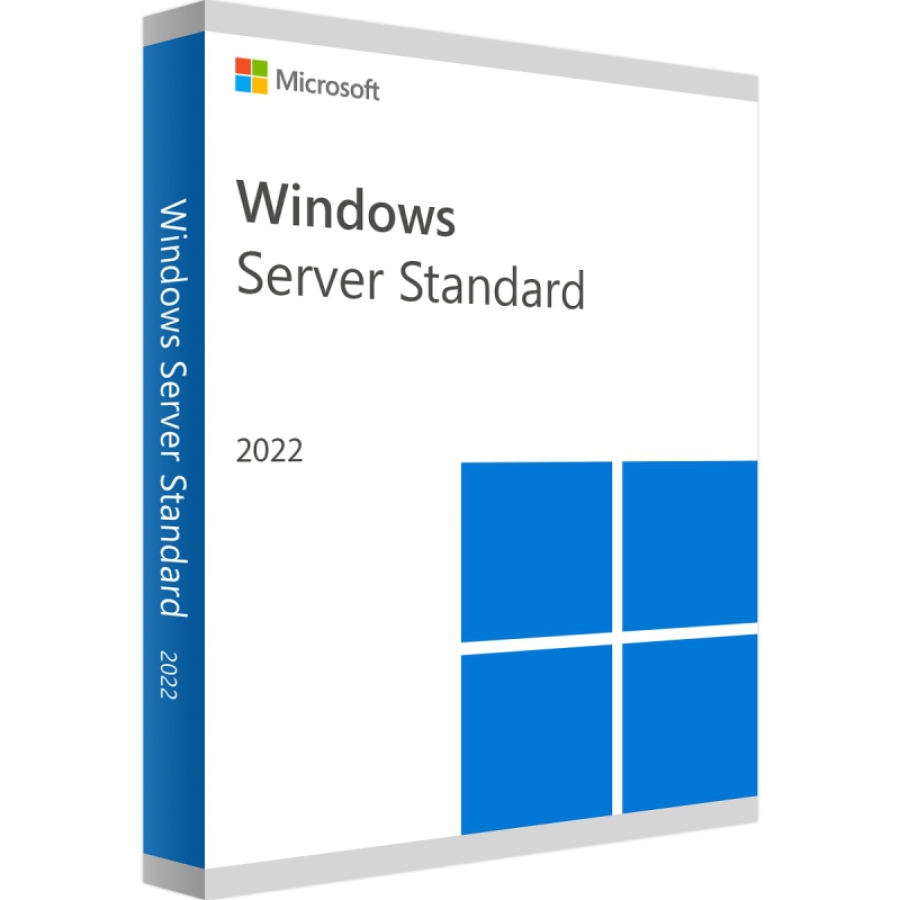

Microsoft Windows Server 2022 Standard 16 Core Download
Lieferzeit: 0-15 Min.


100% sicher bezahlen
Gewünschte Software einfach und sicher durch SSL-Verschlüsselung im Shop kaufen.
Blitzversand
E-Mail Versand und Sofortdownload innerhalb 5-30 Minuten.
Hilfe bei der Installation
Wir bieten Ihnen bei der Erstinstallation kostenlose Hilfe über Teamviewer an.
Kostenloser Support
Im Chat, per Telefon oder E-Mail
Das Ziel von Microsoft ist es den Menschen die Möglichkeit zu geben, jederzeit, überall und mit jedem Zugangsgerät durch erstklassige Software zu kommunizieren. Seit vielen Jahren entwickelt das weltweit führende Softwareunternehmen Software, die den Menschen zu Hause, am Arbeitsplatz und in der Schule den Umgang mit dem PC erleichtert und ihnen neue Dimensionen eröffnet. Dies ist mit einem starken Engagement für das Internet verbunden, das immer mehr zum Dienstleistungszentrum und zum verbindenden Element für all diese Geräte wird.
Windows Server Standard 2022 wird wie die Vorgängerversionen nach Cores lizenziert. Darüber hinaus werden für Nutzer und Geräte Zugriffslizenzen (CALs) benötigt.
Hier sind die neuen und verbesserten Funktionen von Microsoft Windows Server 2022.
Funktionen Microsoft Windows Server 2022 Standard
- Erweiterte mehrstufige Sicherheit
- Hybride Funktionalität mit Azure
- Flexible Anwendungsplattform
Erweiterte mehrstufige Sicherheit
Windows Server 2022 verbessert die Sicherheit mit neuen Funktionen, wie Secured-Core Server und Secured Connectivity.
- Secured-Core-Server bedeutet, dass unsere Hardware-Partner Hardware, Firmware und Treiber zur Verfügung gestellt haben, um den Kunden zu helfen, die Sicherheit ihrer kritischen Systeme zu erhöhen. IT- und SecOps-Teams können mit dem fortschrittlichen Schutz und der proaktiven Verteidigung von Secured-core Server auf allen Ebenen der Hardware, Firmware und Virtualisierung umfassende Sicherheit in ihrer Umgebung gewährleisten.
- Die Secured Connectivity in Windows Server 2022 bietet eine weitere Sicherheitsebene bei der Übertragung. Die neue Version bietet eine schnellere und sicherere Hypertext Transfer Protocol Secure (HTTPS)-verschlüsselte Verbindung und eine dem Industriestandard entsprechende AES-256-Verschlüsselung mit Unterstützung des Server Message Block (SMB)-Protokolls.
Hybridfunktionen mit Azure
Die Kunden entscheiden sich für einen hybriden und Multi-Cloud-Ansatz, um ihre Unternehmen digital zu transformieren. Jetzt können sie die Vorteile von Cloud-Diensten mit Windows Server 2022 vor Ort nutzen, indem sie sich mit Azure Arc verbinden.
Darüber hinaus können Kunden die Vorteile von Dateiserver-Verbesserungen wie der SMB-Komprimierung in Windows Server 2022 nutzen. Die SMB-Komprimierung verbessert die Übertragung von Anwendungsdateien durch Komprimierung der Daten bei der Übertragung über das Netzwerk. Und schließlich bietet das Windows Management Center, ein bei Administratoren beliebtes Tool, erweiterte Serververwaltungsfunktionen, wie eine neue Ereignisansicht und Gateway-Proxy-Unterstützung für Szenarien mit Azure-Verbindung.
Flexible Anwendungsplattform und Container
Microsoft verbessert den Support und die Zusammenarbeit mit großen, unternehmenskritischen Anwendungen wie SQL Server. Windows Server 2022 unterstützt Anwendungen mit bis zu 48 TB Speicher und 2.048 logischen Kernen in bis zu 64 physischen Sockeln.
- Auch die Unterstützung für Windows Containers wird ständig erweitert:
- Die Größe des Images wurde erheblich reduziert, um den Bootvorgang zu beschleunigen.
- Verlängerter Support-Lebenszyklus für Nano Server: Der Support für Windows Server 2022 Nano Server wird bis 2026 andauern und sich damit dem Mainstream-Support anpassen.
- Verbesserte Leistung und Skalierung für viele Funktionen.
- Verbesserte Unterstützung für gruppenverwaltete Dienstkonten (gMSA) und IPv6.
- Unterstützung für mehrere Subnetze und restriktivere Subnetzmasken.
- Neue HostProcess-Container für eine bessere Verwaltung von Clusterskripten.
- Erweitertes und verbessertes Windows Management Center.
- Mit der neuen Azure Migrate App Containerization können Web-Apps direkt containerisiert und zu Azure Kubernetes Service (AKS) migriert werden.
Vergleich Microsoft Windows Server 2022 Standard & Microsoft Windows Server 2022 Datacenter
Die Windows Server 2022 Standard Edition ist auf Unternehmen ausgerichtet, die ausschließlich physische Server einsetzen oder eine nur minimal virtualisierte Umgebungen, mit nur wenigen VMs, nutzen. Die Standard Edition bietet keine Shielded Virtual Machines, Software Defined Networking (SDN)-Funktionen und Storage Spaces Direct und Storage Replica. Diese Funktionen stehen ausschließlich mit der Windows Server 2022 Datacenter Edition zur Verfügung.
| Funktionen | Microsoft Windows Server 2022 Standard | Microsoft Windows Server 2022 Datacenter |
| Wichtigste Funktionen vom Windows Server | ✓ | ✓ |
| Hybridintegration | ✓ | ✓ |
| Hyper-konvergente Infrastruktur | × | ✓ |
| OSE/Hyper-V-Container | 2 | Unbegrenzt |
| Windows Server-Container | Unbegrenzt | Unbegrenzt |
| Host-Überwachungsdienst | ✓ | ✓ |
| Speicherreplikat | ✓ | ✓ |
| Shielded Virtual Machines (VMs) | × | ✓ |
| Software-definierte Netzwerke | × | ✓ |
| Softwaredefinierter Speicher | × | ✓ |
Systemanforderungen
Prozessor
Mindestens: 1,4-GHz-Prozessor mit 64 Bit
RAM
Mindestens: 512 MB
Speicherplatzanforderungen
Mindestens: 32 GB
Sonstige Anforderungen
Gigabit (10/100/1000baseT) Ethernet-Adapter
DVD-Laufwerk (wenn Sie das Betriebssystem über DVD-Medien installieren möchten)
Super-VGA-Monitor (1024 x 768) oder Monitor mit höherer Auflösung
Tastatur und Microsoft®-Maus (oder andere kompatible Zeigegeräte)
Internetzugang (möglicherweise kostenpflichtig)
| Systemanforderungen | |
|---|---|
| Prozessor | Mind. 1,4 GHz 64-Bit-Prozessor, mit Unterstützung für NX, DEP, CMPXCHG16b, LAHF/SAHF, PrefetchW, SLAT |
| Display | Super VGA (1024 × 768) oder höher |
| Arbeitsspeicher | Mindestens 512 MB RAM (2 GB bei Desktopdarstellung), ECC empfohlen |
| Festplattenspeicher | Mindestens 32 GB; bei GUI-Installation mehr empfohlen |
| Netzwerk | Gigabit-Ethernet-Adapter, PXE-Boot-kompatibel empfohlen |
| (Weitere technische Details finden Sie in den offiziellen Microsoft-Dokumentationen) | |
Wie erhalte ich den Lizenzschlüssel sowie Downloadlink?
Bei diesem Produkt handelt sich um eine Download-Version. Innerhalb von 15 Minuten nach Zahlungseingang erhalten Sie den Lizenzschlüssel sowie den Downloadlink per E-Mail. Das Produkt kann damit sofort heruntergeladen, installiert und online aktiviert werden.
Details zur Produktsicherheit
Verantwortliche Person für die EU
Verantwortlich für dieses Produkt ist der in der EU ansässige Wirtschaftsakteur:
Microsoft Ireland Operations Limited
One Microsoft Place
D18 P521 Leopardstown, Dublin 18
Irland
https://support.microsoft.com/contactus
Achtung: Beim Klick auf diese(n) Link(s) verlassen Sie tralion.de und gelangen zu einer externen Webseite. Bitte beachten Sie, dass wir für deren Inhalte nicht verantwortlich sind.
Sie finden den für das Produkt verantwortlichen Wirtschaftsakteur auch auf dem jeweiligen Produkt bzw. der Verpackung oder in einer dem Produkt beigefügten Unterlage.